Custom web applications
Software written around your own process rather than the one a packaged product imposes.

When off-the-shelf software does not fit, you have two options: bend your business to the software, or build software around your business. The second is usually cheaper, because the cost of the first accumulates in daily work rather than on an invoice.
We have built warehouse management systems, fitness tracking apps, donation platforms and internal panels. The common thread is that in every one of them somebody uses that screen every day.
Request a Quote →Software written around your own process rather than the one a packaged product imposes.
Screens that make data visible. The test of a good panel is whether the person looking at it knows what to do next at a glance.
Browser-based tools that need no installation, built to scale as the number of users grows.
Connecting to existing stock, accounting or supplier systems. This sounds small and frequently is not, because the other system was not written with this connection in mind.
Tools needing user roles, permissions and an audit trail. Who changed what and when stays on record.
We write down how the work runs today, step by step. That has to be understood before any code is written. Most projects fail on a misunderstood process, not on the code.
We separate the screens the system cannot run without from the ones that can wait. Starting with something small and working is cheaper than attempting everything at once.
We deliver in pieces. You see something working at every handover, so nothing lands as a surprise at the end.
We test with real data, walk your team through it, and set up backups and error tracking. Maintenance continues after the system is live.
The number of rules decides the price, not the number of screens. Saving a form is easy. Managing who approves that form and under which conditions is the actual work. We write those rules out one by one when quoting, because that is where later surprises come from.
Connections to existing systems also move the timeline. Accounting software, invoicing or a carrier system with good documentation goes quickly. Without it, that is where the time goes. We agree on which connections are needed before we start.
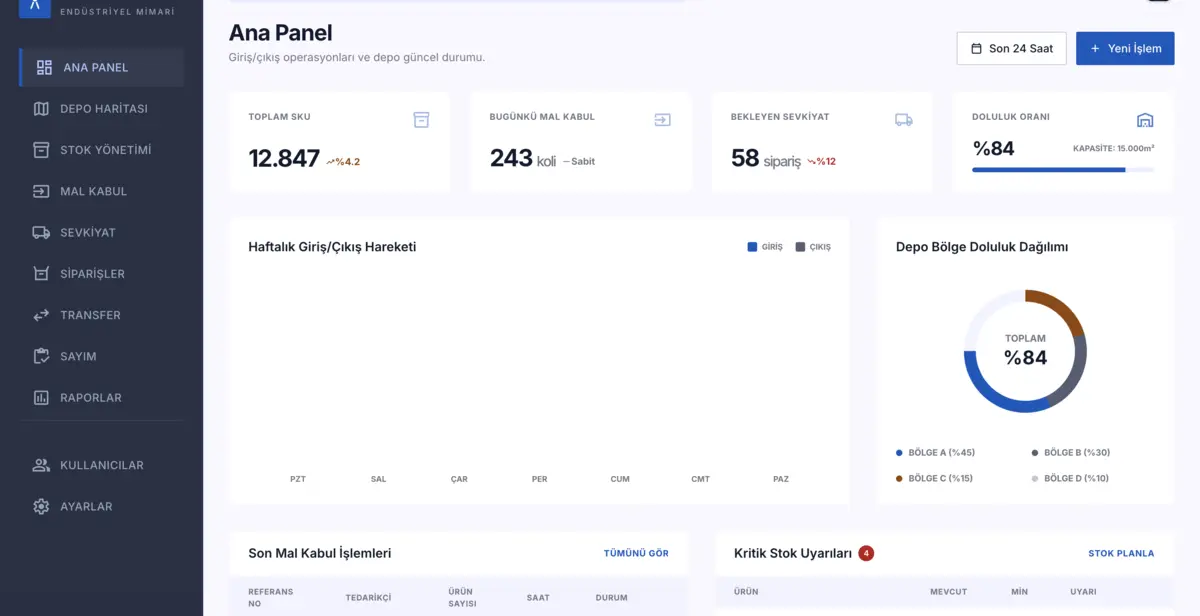
Software
A comprehensive warehouse management system that digitizes industrial-scale warehouse operations end to end, with real-time inventory tracking and intelligent reporting.
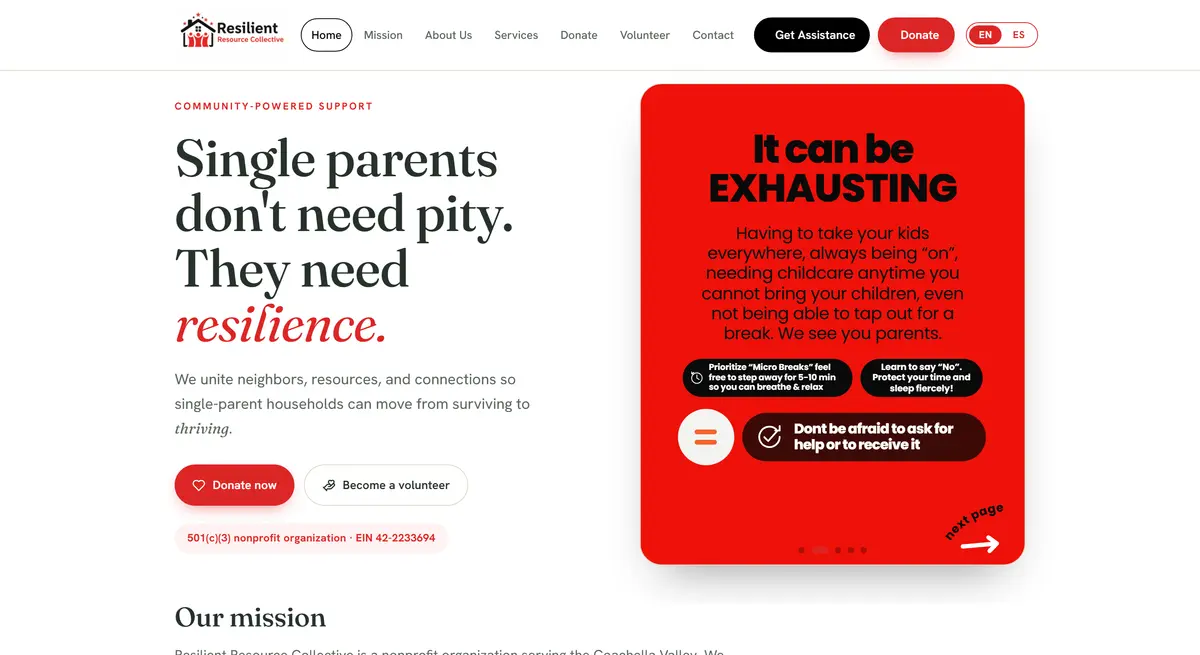
Web Design
A bilingual platform for a 501(c)(3) nonprofit supporting single-parent families in the Coachella Valley, built around donation and volunteer flows.
At the start, yes. But the cost of an off-the-shelf tool accumulates in the extra work your team does every day rather than in the subscription. The comparison worth making is total cost over two years, not the first invoice.
Thirty days of technical support are included. There is a maintenance arrangement beyond that but it is optional, and since the code is yours you can continue with your own team.
Usually yes, but the first question is what that system exposes. We settle this during the quote, because integration is the line item most often underestimated in a project.
Often yes, and when it is, we say so. Custom software makes sense at the point where off-the-shelf tools start fighting your business. If your team does extra work every day to fit into a tool, the yearly cost of that extra work is usually larger than the software.
Yes. The code is yours and it is written to be read. If you want to continue with a different team, the documentation we hand over is enough for them to take it on.
Next step
With your consent, we use cookies to measure our ads. Details